Built for Malaysian F&B
The POS that runs your whole floor.
Take orders at the counter or from the table, send them to the kitchen, take payment and close the day. One system for dine-in, takeaway and GrabFood.
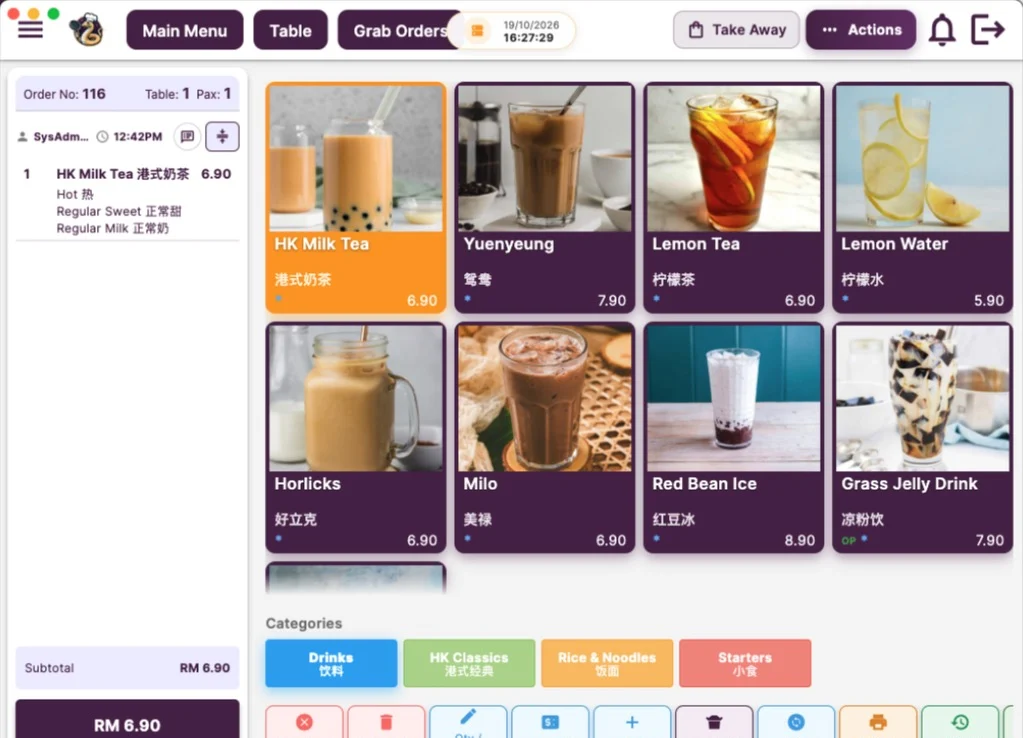
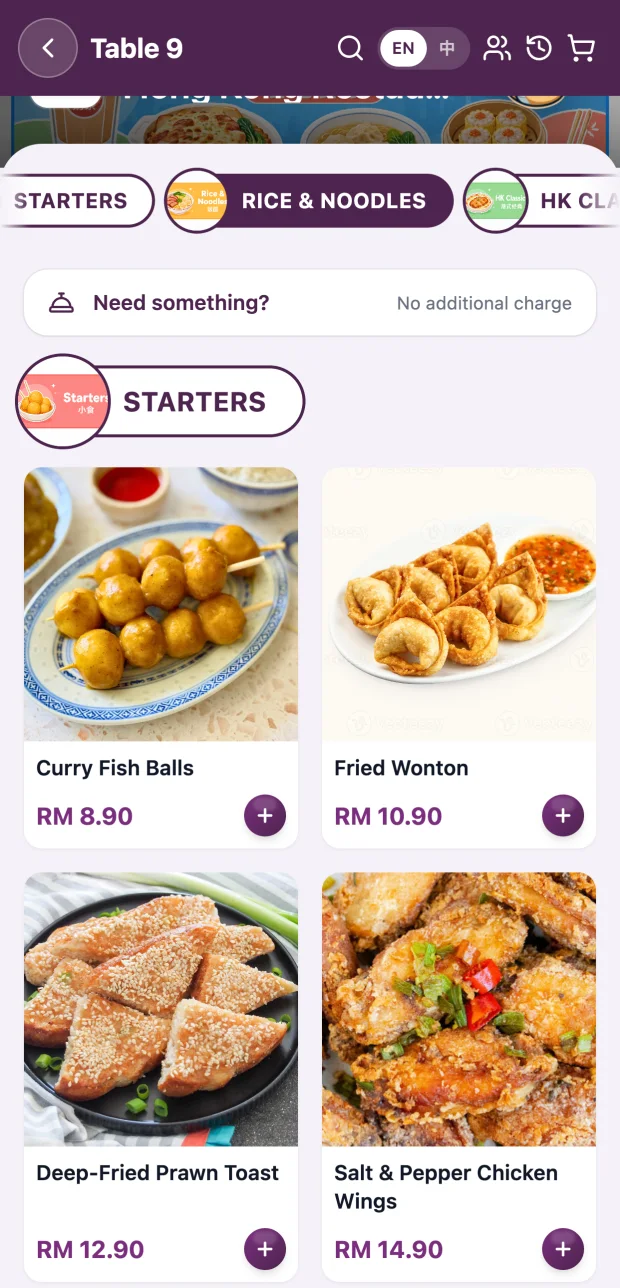
From first order to closing the drawer.
Every screen is made for a busy shift: big buttons, clear table status and nothing your staff need training to find.
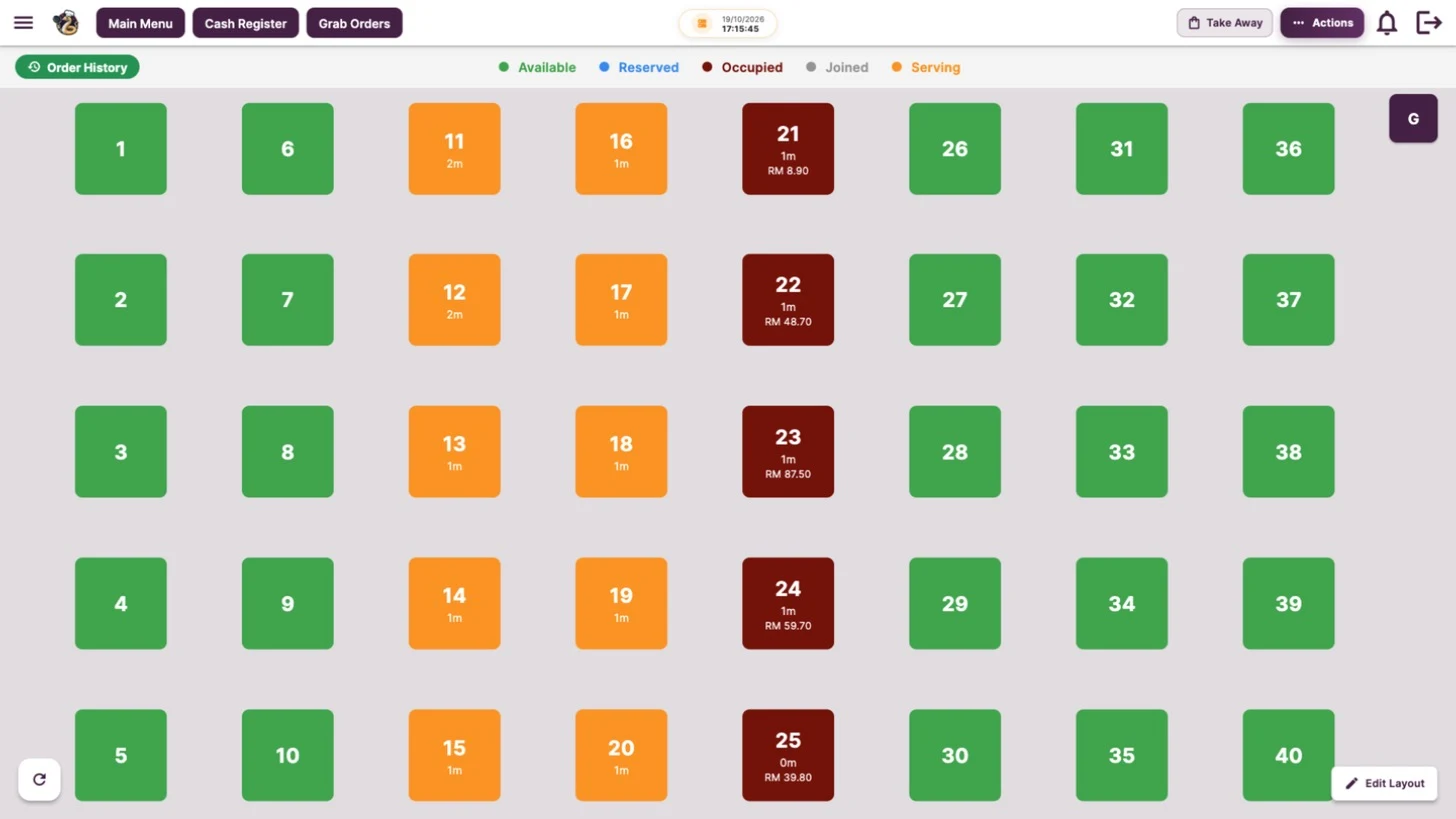
See every table at a glance
Lay out the floor to match your shop. Each table shows whether it is free, seated or waiting on food, with time seated and the running bill.
- Drag-and-drop floor layout
- Join, move and change tables
- Live timers and bill totals per table
Ring up orders in a few taps
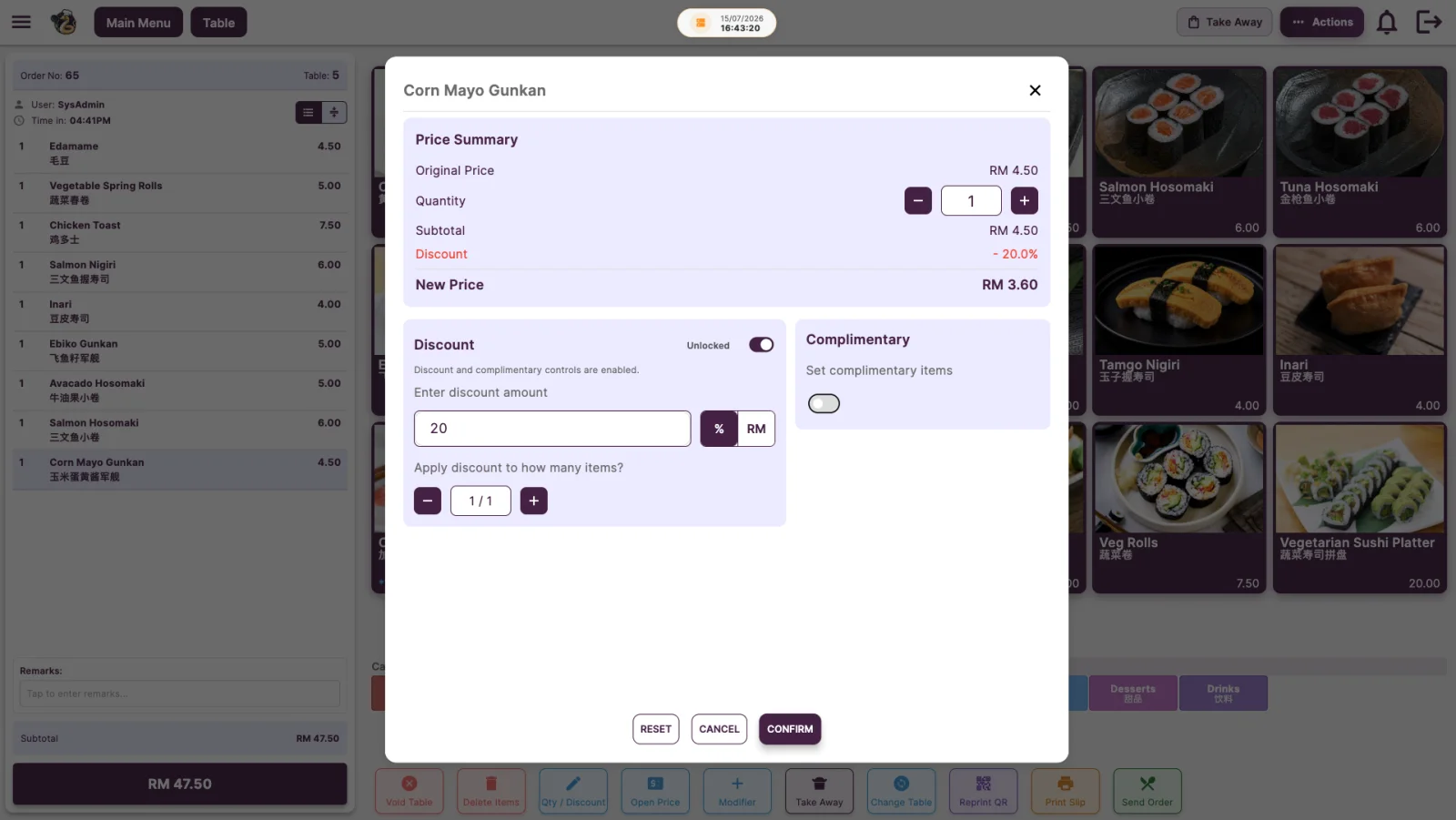
Menu photos, bilingual item names and modifiers like hot or iced, less sweet or extra rice. Discounts and complimentary items are one tap away for staff who are allowed.
- English and 中文 item names
- Modifiers, remarks and open price
- Item discounts with permission control
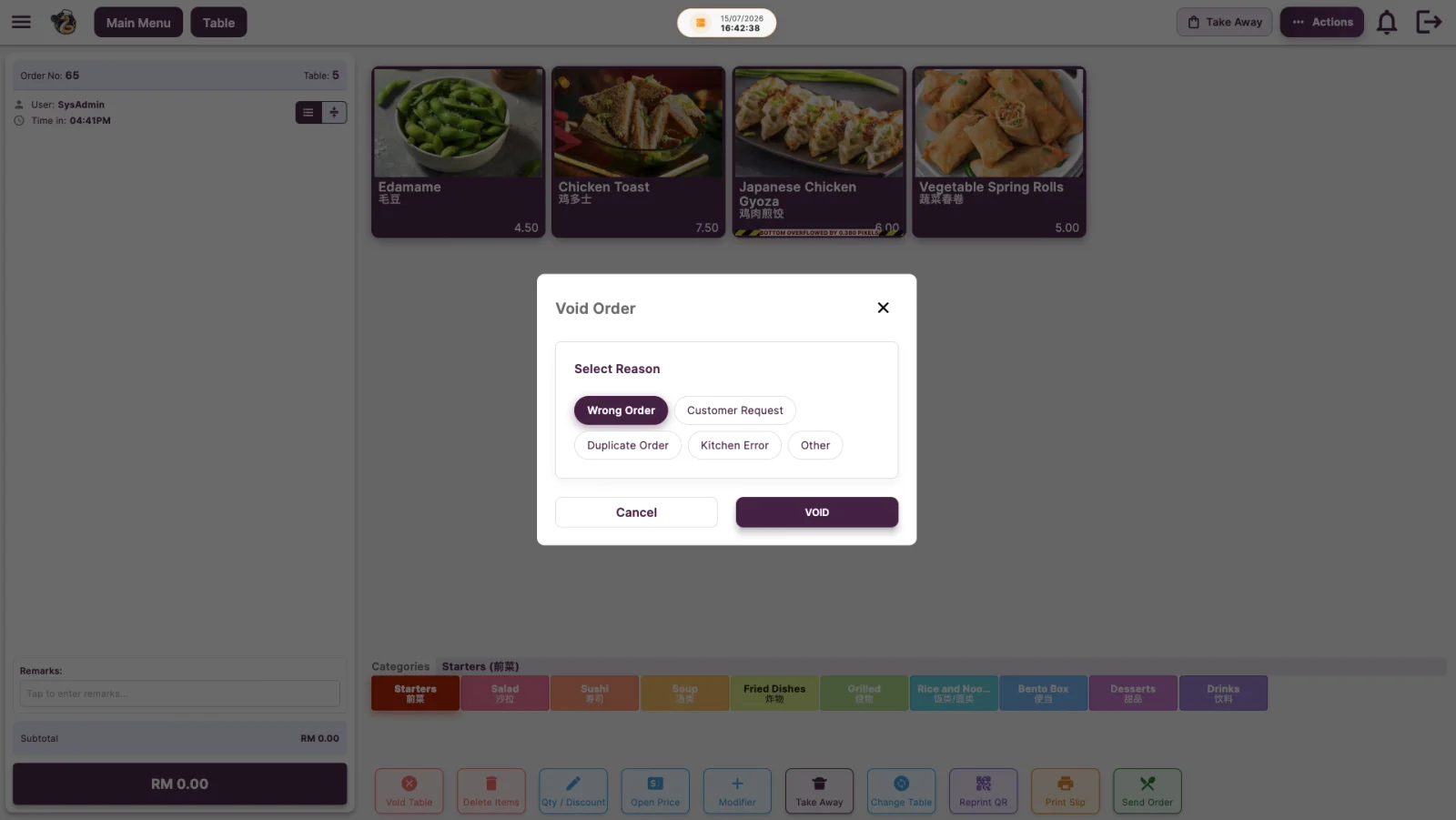
Every void has a reason
Staff pick a reason before voiding an order or deleting items, so you always know what happened and who did it.
- Reasons like wrong order or kitchen error
- Void and reprint history
- Permissions for who can void
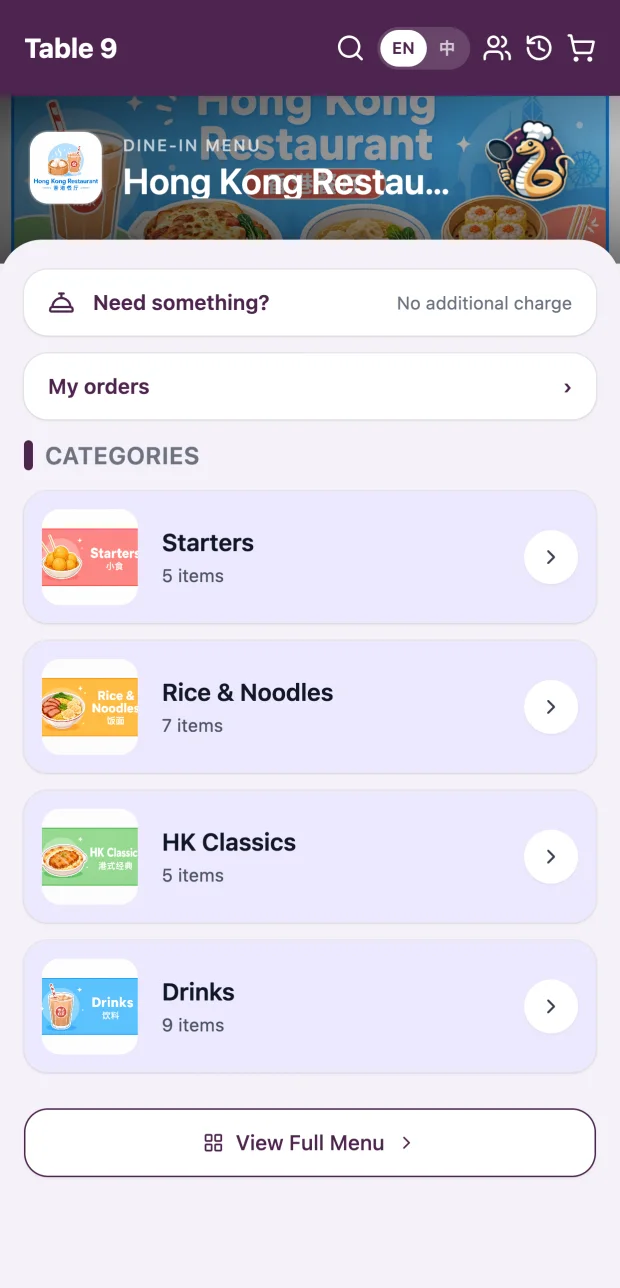
Customers order from their seat.
Each table gets its own QR code. Guests scan, browse your menu with photos, and send the order straight to the POS and kitchen. No app to download.
- Orders go straight through
- Table QR orders appear on the POS and kitchen with the table number attached.
- Two languages
- Guests switch between English and 中文 with one tap.
- Call for service
- Guests can ask for water, cutlery or the bill without waving staff down.
- Your branding
- Your logo, colours and photos, not a generic template.
Everything else a busy shop needs.
Customer display
A second screen shows customers their items and total as you ring them up.
Kitchen display
Orders appear on a kitchen screen the moment they are sent, so nothing gets lost on paper.
GrabFood in one place
Manage your Grab menu and accept Grab orders from the same POS.
Sales reports
Daily sales, best sellers and payment breakdowns, ready when you close.
Quick payment and cash drawer
Quick-cash buttons work out change, and the drawer is counted by denomination at close.
Staff permissions
Decide who can give discounts, void items or open the cash drawer.
See VSPOS with your own menu.
Book a free demo and we'll walk you through ordering, Table QR and end-of-day reports for a shop like yours.
Book a free demo